
Use WildEdge with remote MCP
WildEdge's remote Model Context Protocol (MCP) server lets a local AI agent work with your WildEdge account. You can ask the agent to create a project, inspect recent inference events, follow a trace, or investigate a failure without copying data between your browser and terminal.
The remote endpoint is:
https://app.wildedge.dev/mcpYou do not need to install or run an MCP server locally.
Connecting ChatGPT or another web agent?
Web agents can connect with OAuth, without creating or copying a personal access token. Follow the web agent setup guide.
Connect your coding agent
Create a personal MCP token, then add the WildEdge remote server to your local coding agent.
Create an MCP token
- Sign in to WildEdge.
- Open your profile and find MCP access tokens.
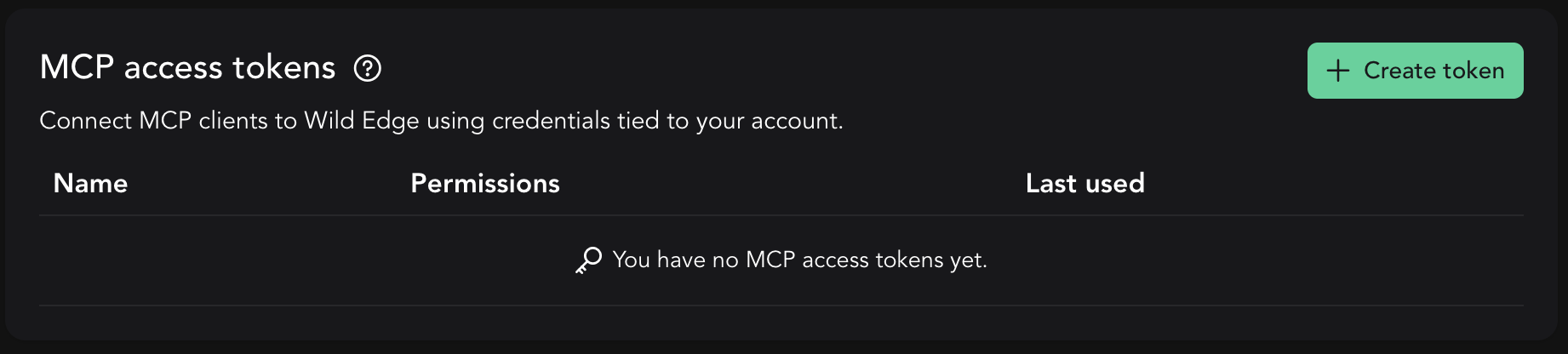
- Select Create token and give the token a name that identifies the client, such as
Codex on MacBook. - Choose the least privilege the client needs:
- Read can inspect the companies, projects, events, traces, dashboards, datasets, and integrations available to your account.
- Read + Write can also create projects and project keys, and perform the other write actions exposed by the MCP server.
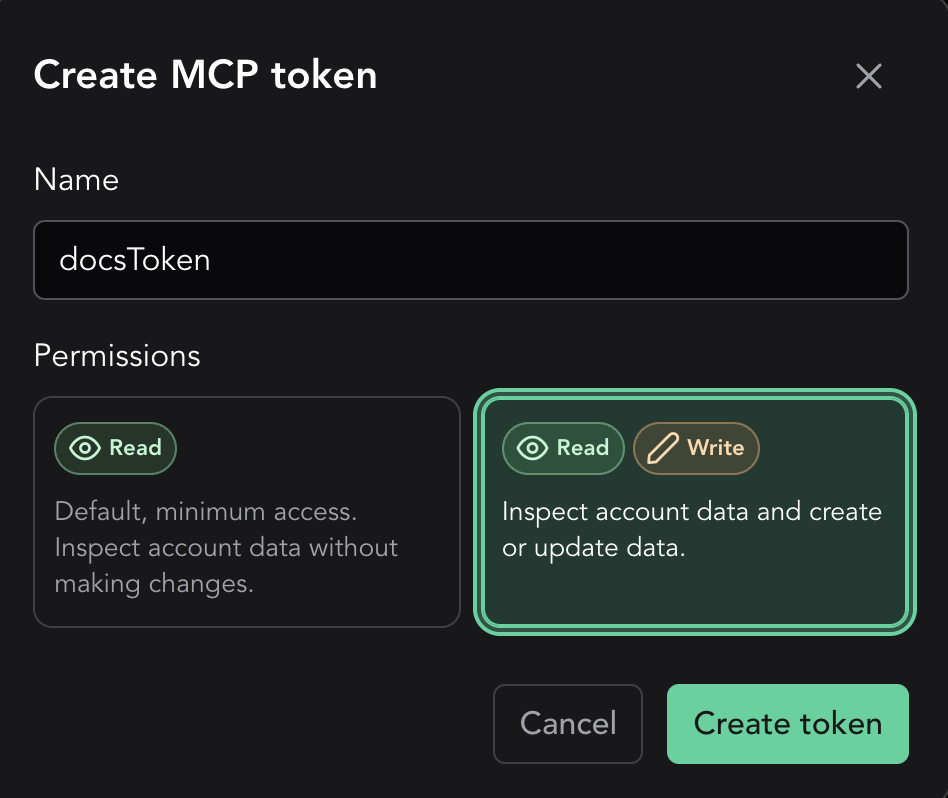
- Create the token and copy it immediately. The full token is shown only once.
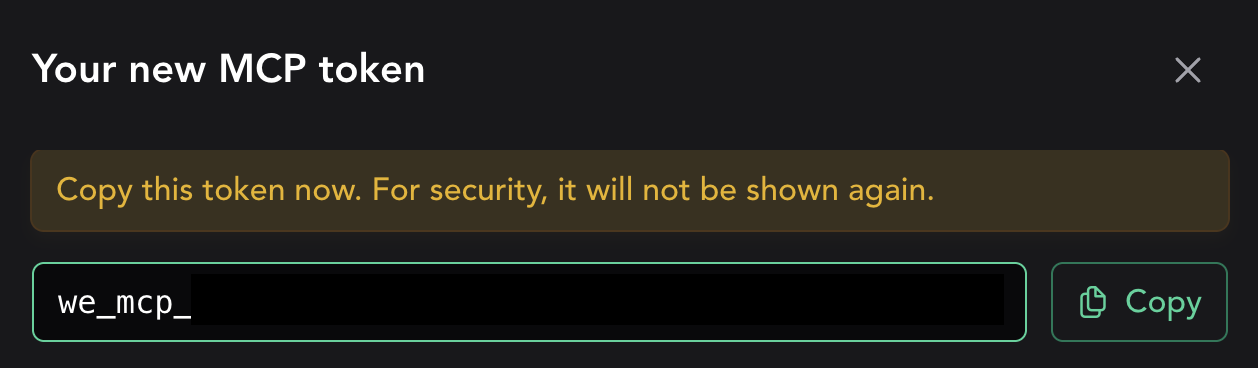
Store the token in an environment variable for the commands below:
export WILDEDGE_MCP_TOKEN="we_mcp_..."Protect the token
An MCP token acts with your WildEdge account's access. Do not commit it to source control or paste it into prompts. Use a separate token for each client so you can revoke one without interrupting the others. Delete a token from your profile as soon as it is no longer needed.
Change permissions or revoke a token
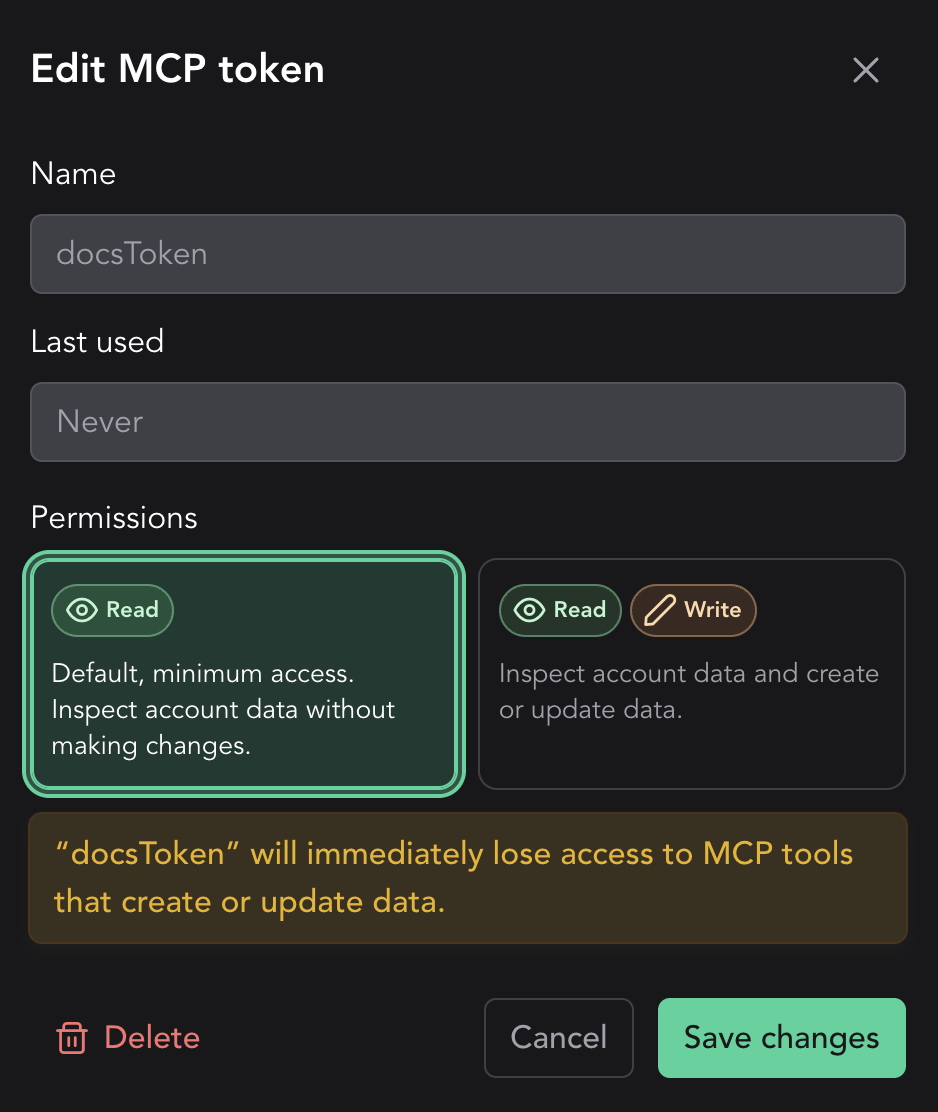
Select a token in the table to change it between Read and Read + Write, or to delete it. WildEdge shows the effect of a permission change before you save it. Deleting a token immediately disconnects clients that use it.
Add WildEdge MCP to your agent
Choose the client you use. The name wildedge in these examples is local to the client and can be changed.
Codex CLI
codex mcp add wildedge \
  --url https://app.wildedge.dev/mcp \
  --bearer-token-env-var WILDEDGE_MCP_TOKEN

codex mcp list
Codex stores the name of the environment variable, not the token itself. Make sure WILDEDGE_MCP_TOKEN is available whenever you start Codex.
Claude Code
claude mcp add-json --scope user wildedge \
  '{"type":"http","url":"https://app.wildedge.dev/mcp","headers":{"Authorization":"Bearer ${WILDEDGE_MCP_TOKEN}"}}'

claude mcp get wildedge
Claude Code expands ${WILDEDGE_MCP_TOKEN} from the environment when it connects. Inside Claude Code, run /mcp to inspect the connection and authentication status.
Gemini CLI
gemini mcp add --scope user --transport http \
  --header "Authorization: Bearer ${WILDEDGE_MCP_TOKEN}" \
  wildedge https://app.wildedge.dev/mcp
Restart Gemini CLI, then run /mcp list to check the connection.
Gemini stores the expanded header
The shell expands WILDEDGE_MCP_TOKEN before Gemini saves this server, so the bearer token is stored in your user-level Gemini settings. Protect ~/.gemini/settings.json, never commit it, and delete or rotate the WildEdge token if that file is exposed.
Example workflows
After the connection works, your agent discovers the tools available to your account. You can work with WildEdge in natural language while the MCP server enforces your user access and token permissions.
Start by establishing the account context without making changes:
List the WildEdge companies available to me, including my role in each company. Then list the projects in the Acme company. Do not make any changes.
Use the company and project names returned by the agent in the workflows below.
Create a project in a company
Requires: an MCP token with Read + Write and membership in the company.
Ask the agent to create a project and return its initial WILDEDGE_DSN:
Create a WildEdge project named “Checkout classifier” in the Acme company. Show me the returned
WILDEDGE_DSNand explain where to put it in my SDK configuration.
Review the company and project name before approving the write tool. The returned WILDEDGE_DSN is an SDK credential: store it in an environment variable or secret manager and do not commit it to source control.
You can also ask the agent to create an additional project key for an existing project when another environment or device fleet needs a separate DSN.
Investigate recent inference events
Requires: an MCP token with Read access.
The agent can inspect a bounded page of recent events from the last 1 to 168 hours. A focused prompt gives it enough context to retrieve useful data:
For the Checkout classifier project in the Acme company, inspect up to 25 events from the last 24 hours. Highlight failures and unusually long durations. Do not make any changes.
For a suspicious event, ask for its normalized telemetry and the surrounding run trace:
Open event
<event-id>from the previous result. Explain the inputs, outputs, errors, and timing that are available. If it belongs to a run, follow the run trace and summarize where the problem started.
The agent reasons over the bounded events returned by WildEdge; it does not automatically analyze every event in the company. Specify the company, project, time window, and event type when you want a narrower investigation.
Invite a colleague
Requires: an MCP token with Read + Write and company administrator access.
First, review the current team:
List the current members of the Acme company and their roles. Do not invite or remove anyone.
Then request an invitation with an explicit role:
Invite
alex@example.comto the Acme company with theVIEWERrole. Confirm the company, email address, and role with me before sending the invitation.
Supported roles are ADMIN, USER, and VIEWER. Inviting a colleague sends an external invitation, so review the email address and requested role before approving the tool call.
Supported tools
The supported tools are dynamic and may change. Your agent discovers the tools available through the WildEdge MCP server automatically. The examples below highlight some basic tools for reference and are not a complete list.
| Tool | Description |
|---|---|
get_current_user | Get the authenticated token owner. |
list_companies | List available companies and roles. |
invite_company_user | Invite a colleague. |
get_company_usage | Get plan, retention, and quota usage. |
list_apps | List active projects. |
create_app | Create a project and return its initial WILDEDGE_DSN. |
app_details | Get project metadata. |
list_dashboards | List dashboard metadata. |
Use a Read token for investigation-only sessions. Grant Read + Write only to clients that need to create projects, keys, or invitations.
Troubleshooting
- Unauthorized or disconnected: confirm that
WILDEDGE_MCP_TOKENis set in the same shell that starts the agent, and that the token has not expired or been deleted. - A write action is unavailable: edit the token in your WildEdge profile and grant Read + Write, or create a separate write-enabled token.
- The agent cannot see a company or project: MCP access follows the permissions of the WildEdge user who created the token.
- A token may have been compromised: delete it immediately in MCP access tokens, create a replacement, and update only the affected client.